

Appearance
OAuth without DCR
Use this when Sign in says the server does not support automatic registration.
- Open Configure → Add MCP (or edit an existing HTTP MCP)
- Paste the HTTPS MCP URL
- Under Advanced, note the required redirect URI:
http://127.0.0.1:7342/oauth/callback
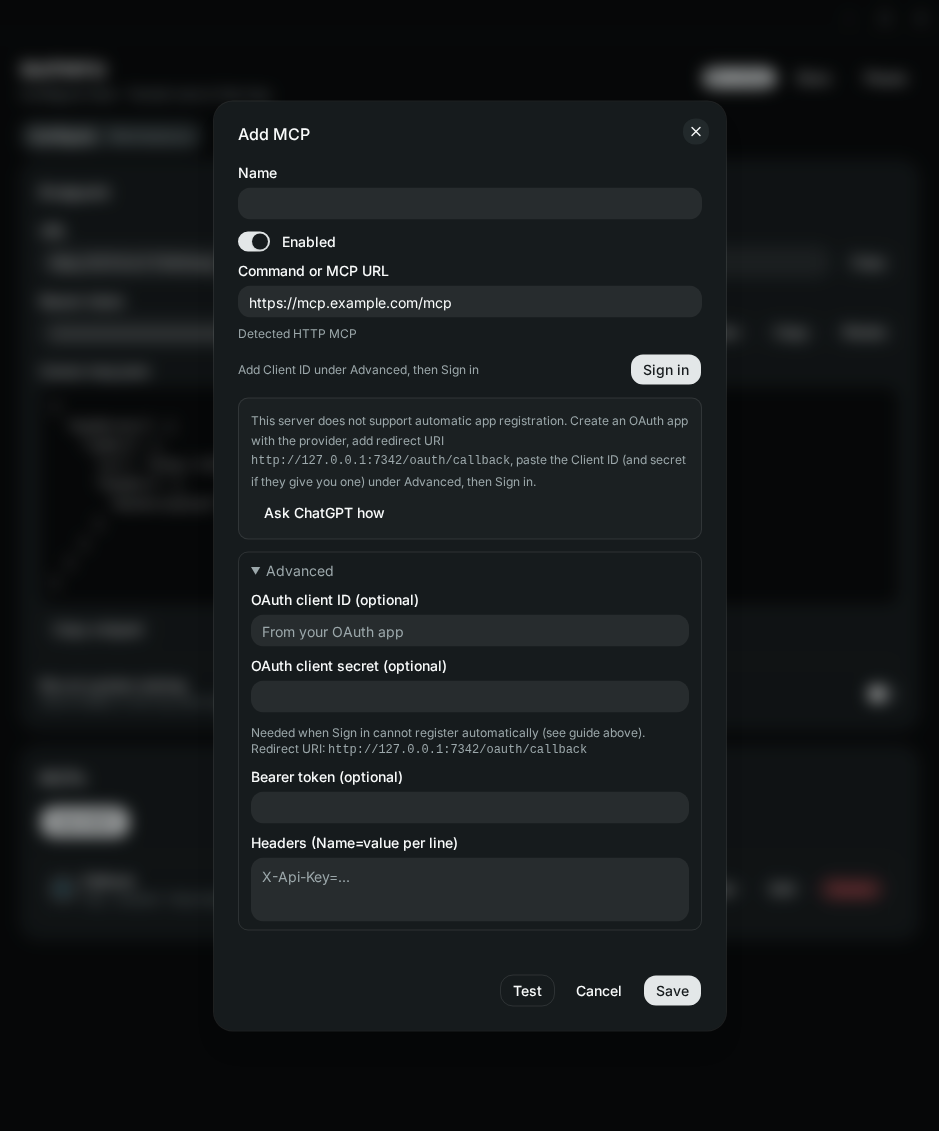
- Optionally use Open guide to get provider-specific OAuth app steps
- Create the provider app, register that redirect URI, copy Client ID (and secret if required)
- Paste credentials under Advanced
- Click Sign in and finish in the browser
Tokens are stored in the keychain. Re-sign-in if the provider revokes access.