

Appearance
Getting started
- Launch Sumeru (install from GitHub Releases, or
npm i -g sumeru-mcp && sumeru gui). The funnel starts automatically and keeps running in the tray when you close the window. - Open Configure. Copy the endpoint URL and bearer token.
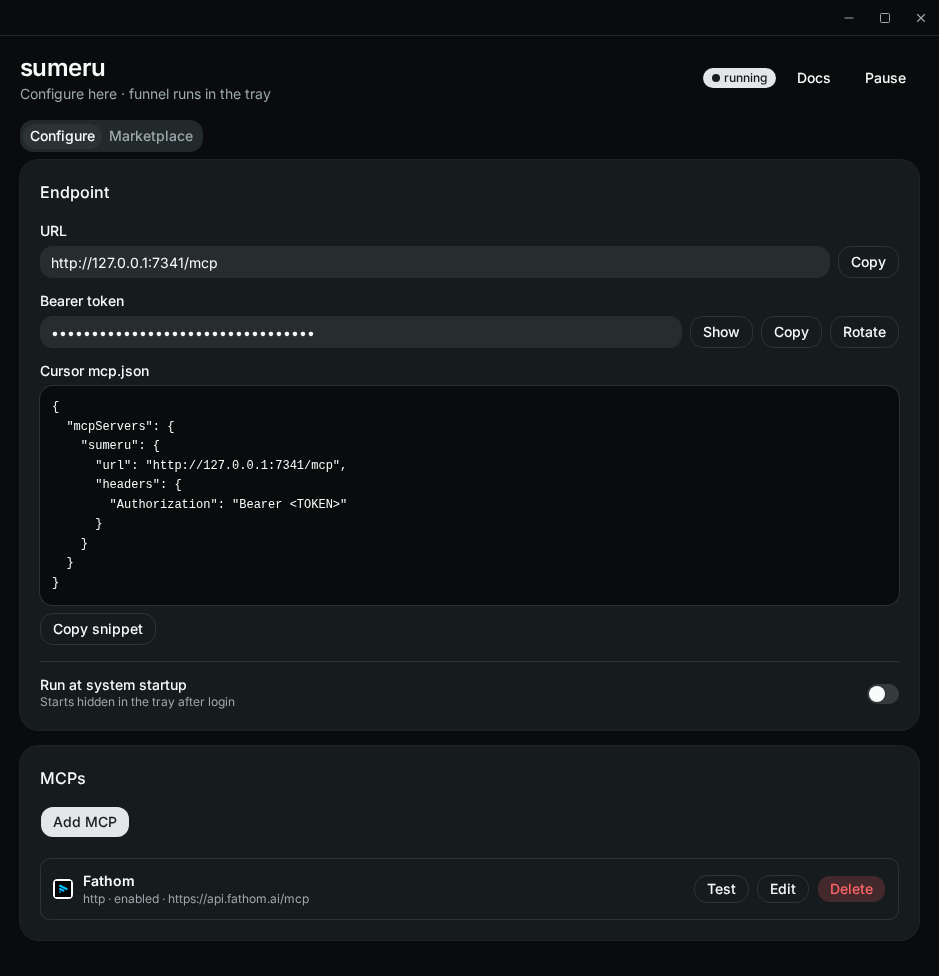
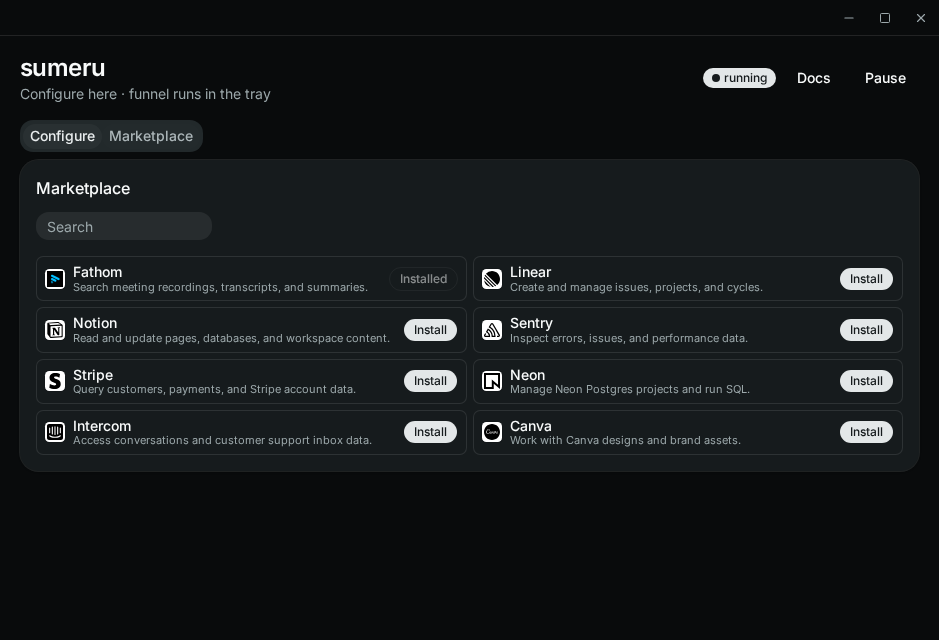
- Add MCPs via Marketplace (curated DCR HTTP MCPs) or Configure → Add MCP (stdio commands or HTTP MCP URLs — remote URLs need HTTPS; plain HTTP is loopback-only — see OAuth).
- Point your MCP host (Cursor, etc.) at the funnel endpoint with the bearer token.
Tray and pause
- Close the window → UI hides; endpoint keeps serving
- Tray → Open to show the UI again
- Tray → Quit to stop the endpoint
- Header Pause / Resume toggles the local funnel without quitting
Autostart
Enable Run at system startup on the Configure tab so Sumeru launches hidden in the tray after login. Prefer enabling this from an installed/release build so the OS entry points at a stable binary path.